User Guide
From a fresh install to your first order. Lieston runs entirely on your machine: your keys, your API endpoints, your rules. The details behind every step live in the docs sections; this page is just the path.
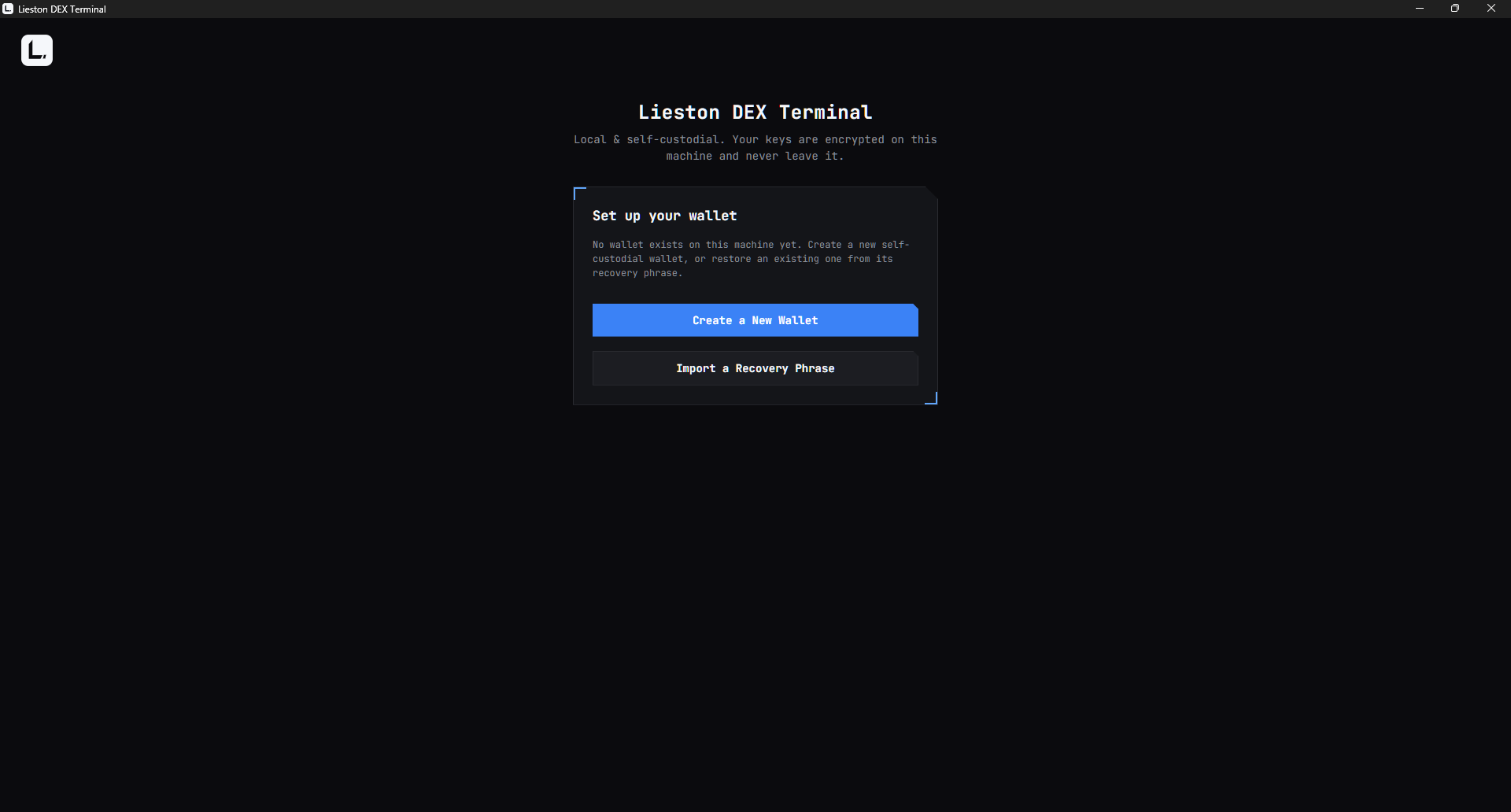
1. Create your wallet. Start the app and you will see "Set up your wallet" with two choices. Pick "Create a New Wallet". Already have a BIP39 recovery phrase? "Import a Recovery Phrase" restores it, 12 or 24 words, the same kind of phrase MetaMask and Phantom use.
2. Back up the recovery phrase. The app generates a 12 word phrase and shows it once. Write it down on paper and store it offline, then confirm with "I've Written It Down - Continue".
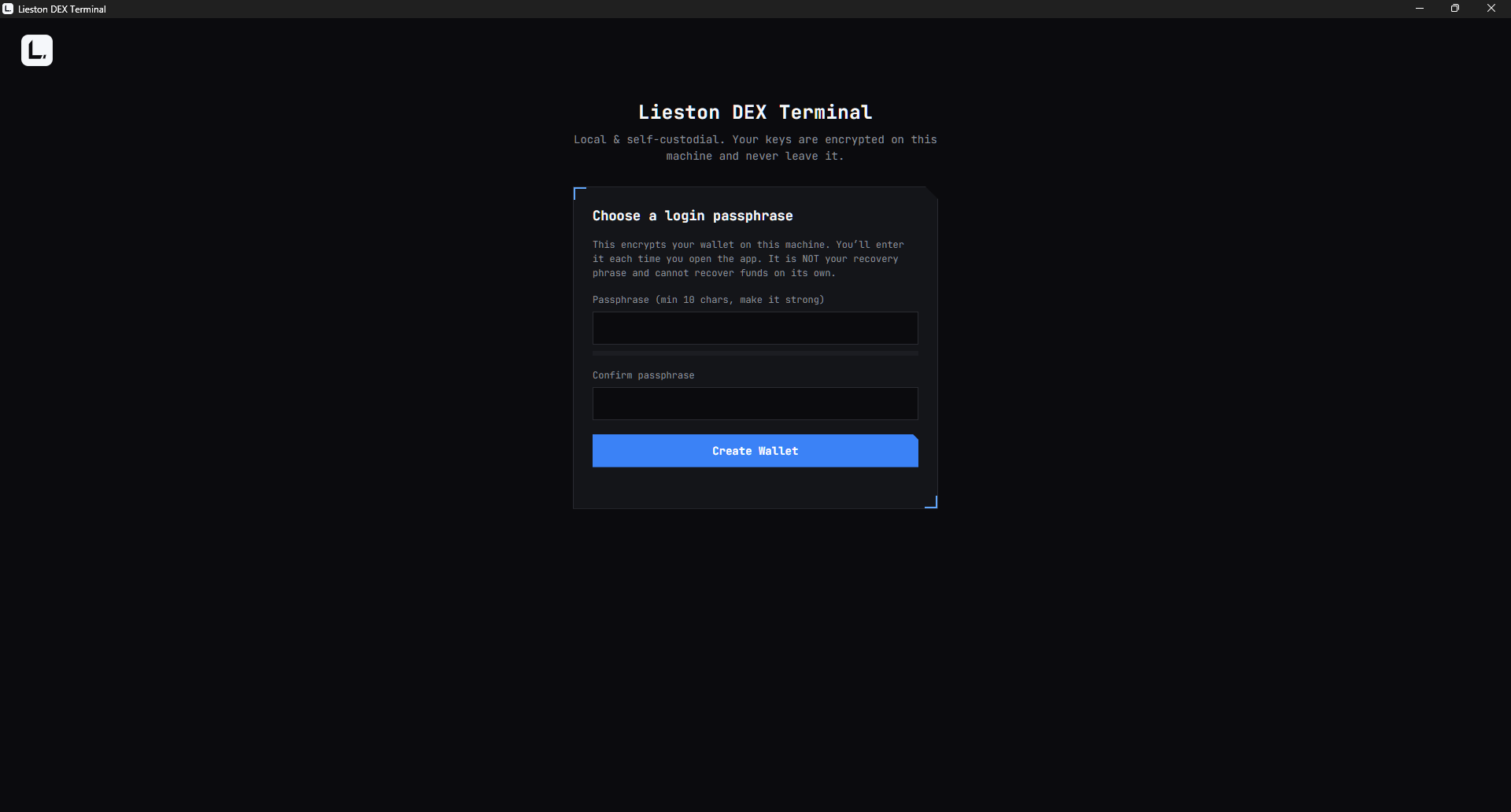
3. Choose a login passphrase. This encrypts your keys on this machine and unlocks the app. Minimum 10 characters, strength checked. It is separate from the recovery phrase: lose the passphrase and you re-import with the phrase; lose the phrase and the wallet is gone.
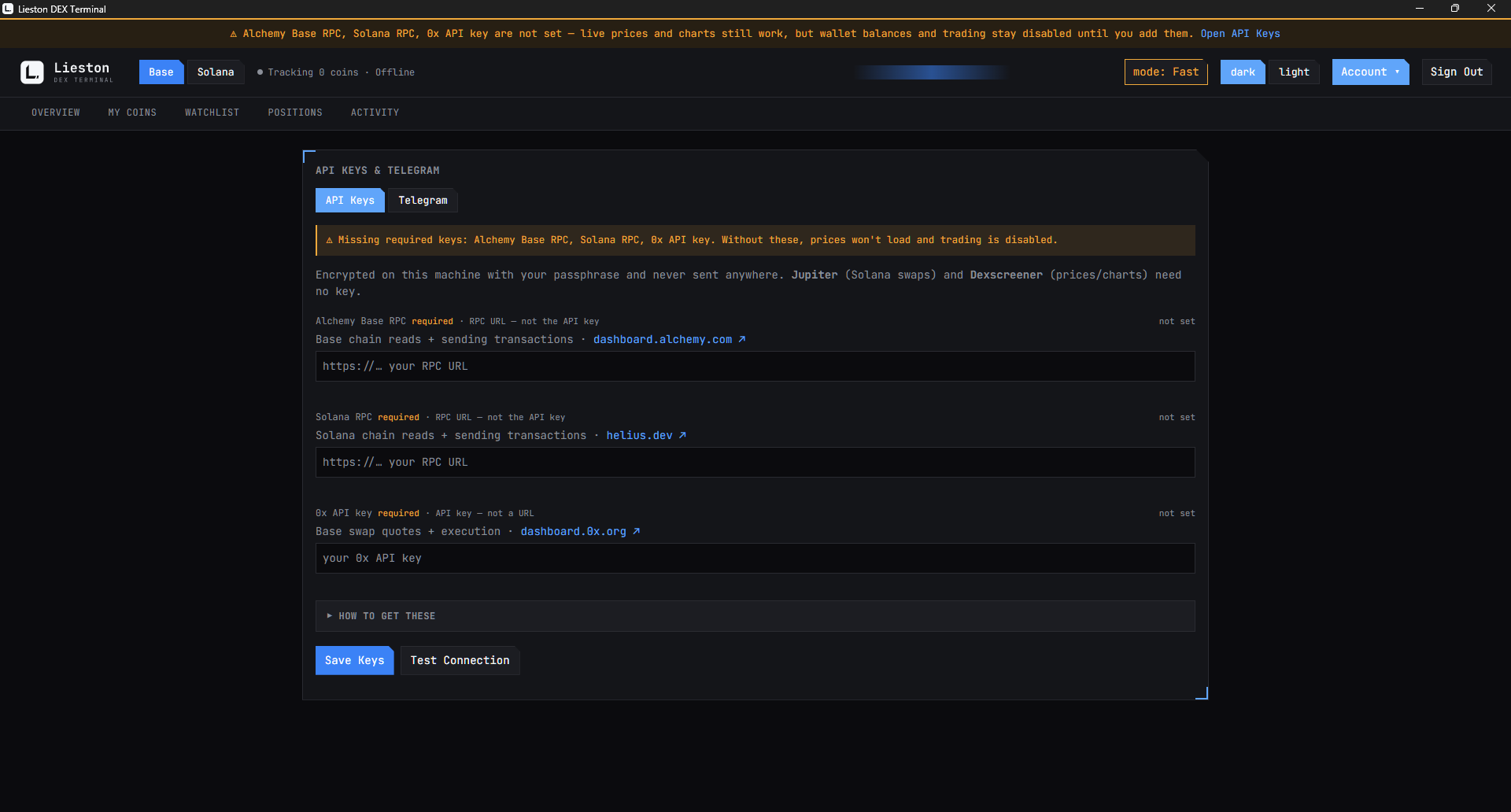
4. Add your API keys. After setup the app opens the API Keys and Telegram view. Three keys are required: an Alchemy Base RPC URL, a Solana RPC URL such as Helius, and a 0x API key. Without them live prices and charts still work, but balances and trading stay disabled. Save with "Save Keys" and check them with "Test Connection". The Telegram fields are optional and can wait.
5. Fund the wallet. Send ETH on Base or SOL on Solana to your wallet address. The app keeps a small gas reserve back, around five dollars of ETH and around two dollars of SOL, so a fill can never leave you unable to pay for the next transaction.
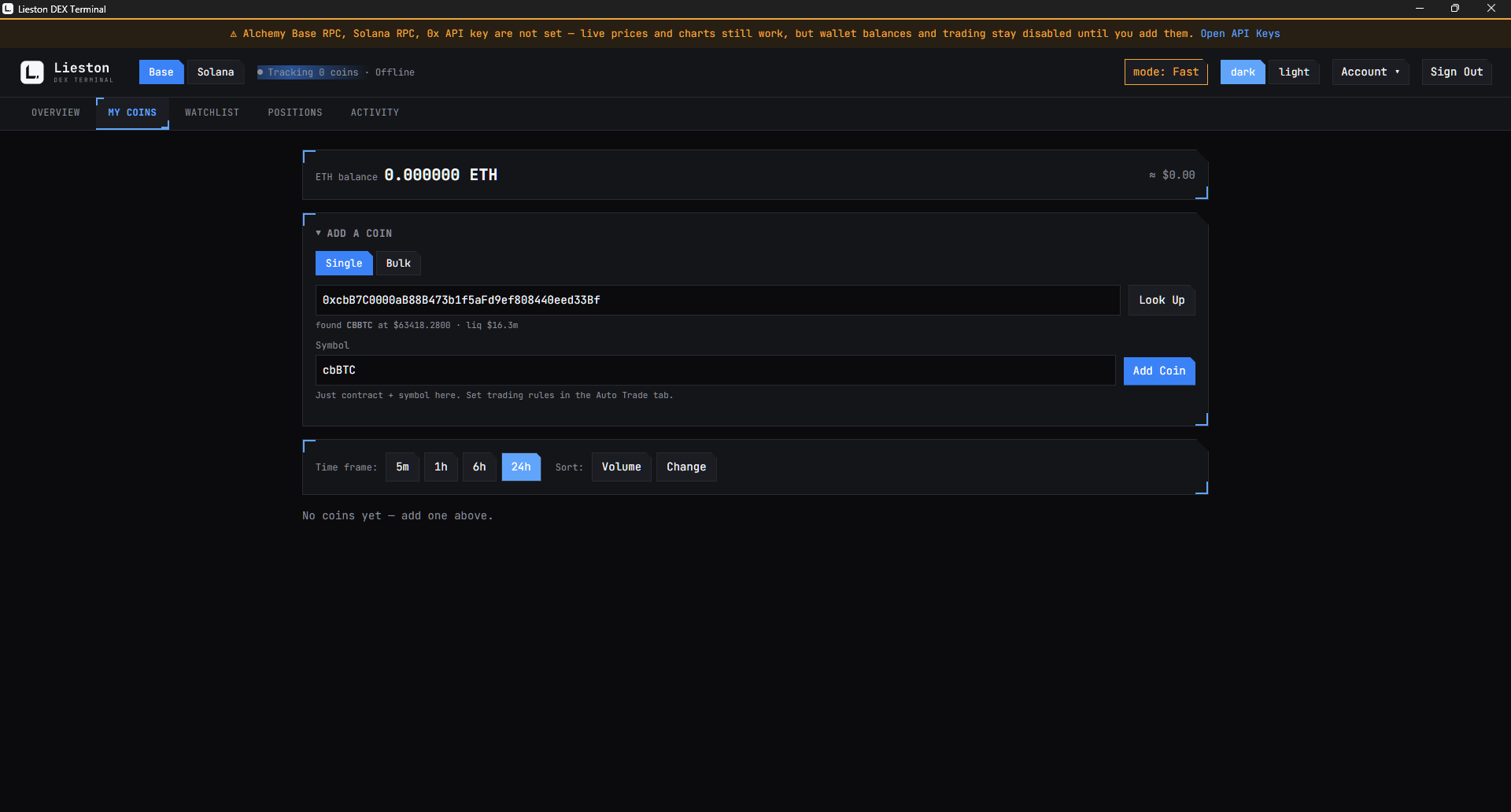
6. Add a coin. In My Coins, open "Add a coin", pick the Base or Solana tab, paste the token's contract address, and click "Look Up". The app fetches the symbol and price; "Add Coin" puts it on your grid.
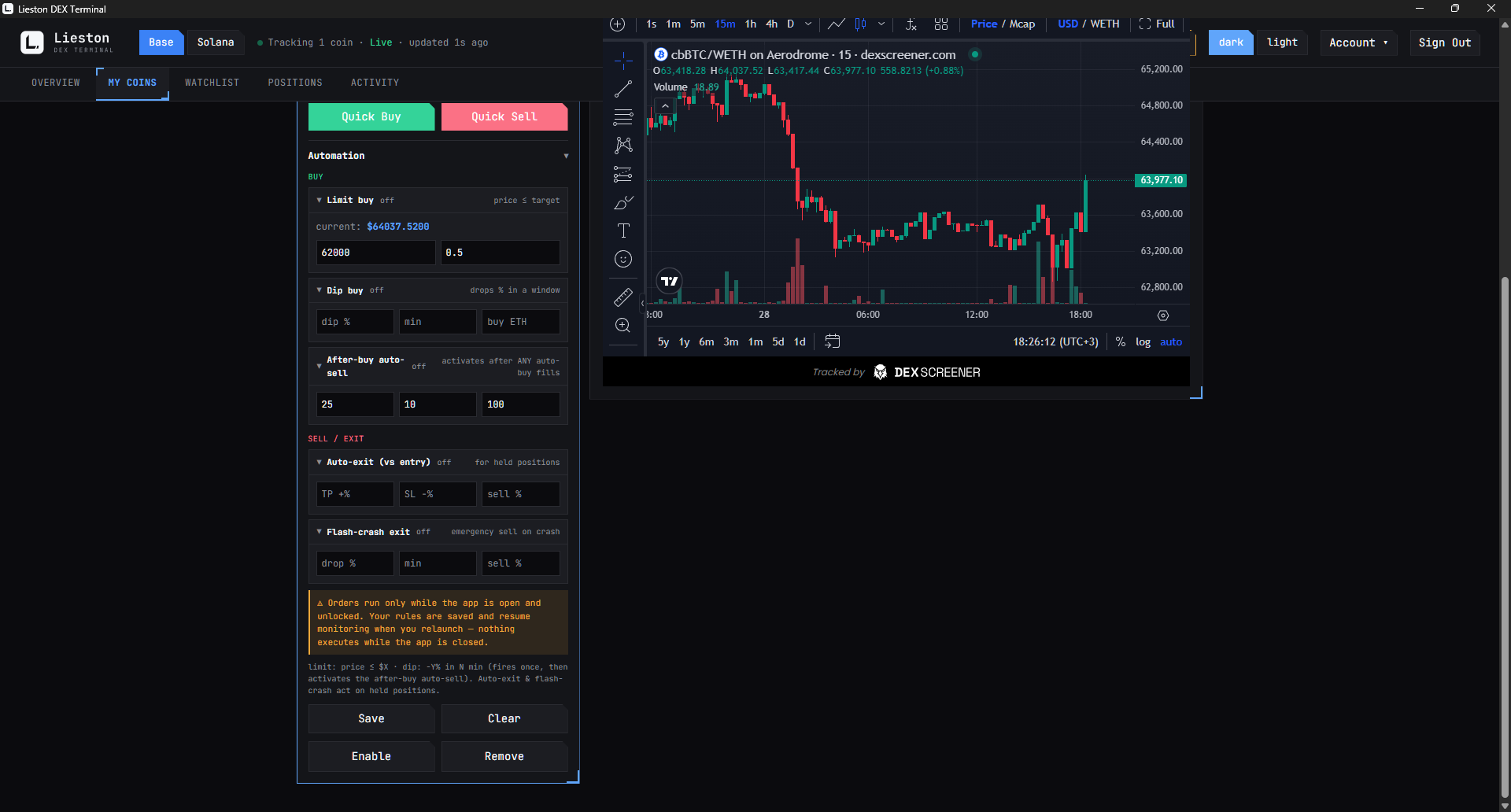
7. Set your rules. Expand the coin's card and open Automation. The Buy group holds a limit buy that fires at or below your target price, a dip buy that fires on a percent drop within a window, and the after-buy auto-sell template that arms your exit the moment a buy fills. The Sell and exit group covers positions you already hold: auto-exit with take-profit and stop-loss against your entry, and a flash-crash exit for a sharp drop. One "Save" persists everything on the card, and each armed block shows its own status badge.
8. From here. How orders behave in detail: Orders and First-fill-wins. How your keys are protected: Keys & Security. Telegram alerts and everything else: the FAQ.